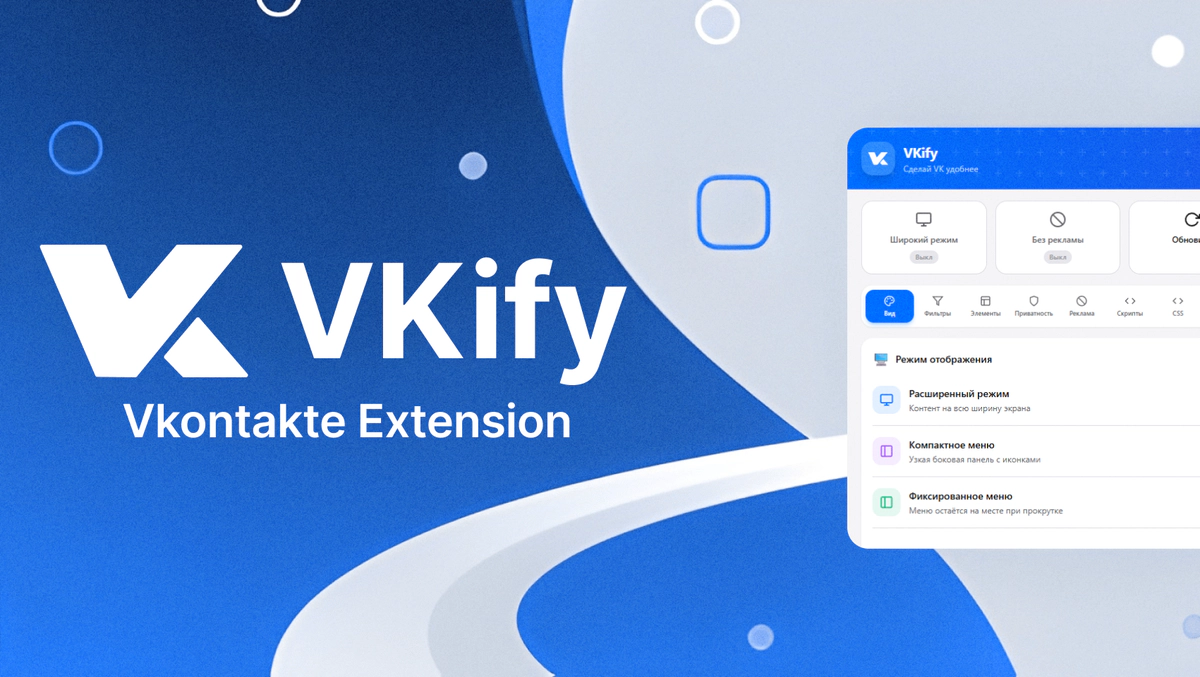
VKify is a browser extension that makes VKontakte more convenient: ad blocking, interface customization, privacy mode, and much more.
📌 About the Project
VKify is a full-featured browser extension designed to enhance the VKontakte user experience. The project includes interface design in Figma, development in React using the Chrome Extension API, and a well-thought-out settings system with synchronization.
The key goal is to create a flexible and intuitive tool that allows you to fully adapt VK to your needs without requiring technical knowledge.
✨ What Was Done
Interface and UX
- Designed a compact and functional popup extension interface
- Implemented a tab system with settings categories
- Support for light, dark, and automatic theme
- Smooth animations and micro-interactions to improve UX
- Adaptive components: toggles, sliders, color palettes
Functionality
🎨 Appearance
- Extended (wide) content display mode
- Compact and fixed sidebar menu
- Customizable content width and corner rounding
- 12 ready-made color themes + custom color selection
- Custom background with blur, dimming, and transparency settings
🎨 Visual Filters
- Black and white mode, sepia, color inversion
- Image darkening for night mode
- Brightness and contrast adjustment
- Blur effect with hover removal
👁️ Element Hiding
- Stories, recommendations, friend suggestions
- Emoji statuses, mini-chat, “Back to top” button
- Mass enable/disable with one button
🔐 Privacy
- Invisible mode (hide chats with Ctrl+Q)
- Skeleton mode — replace content with gray placeholders
- Block “typing” indicator
- Disable read receipts
🛡️ Ad Blocking
- Sidebar ads
- Promotional posts in the news feed
- Advertising stories and clips
- Visual protection status
⚡ Scripts and Automation
- Auto-add friends with customizable limits and delays
- Bypass authorization popups
- Real-time script statistics
🎨 Custom CSS
- Built-in editor with syntax highlighting
- Line numbering and auto-formatting
- Change history (Undo/Redo)
- 14 ready-made CSS snippet templates
- Quick apply and save styles
⚙️ Settings
- Export/import settings to JSON
- Reset to default values
- Automatic synchronization between tabs
🖼️ Extension Interface


🎨 Design System
Light Theme
Background Primary
#FFFFFF
Background Secondary
#F5F5F7
Background Tertiary
#E8E8ED
Text Primary
#1D1D1F
Text Secondary
#6E6E73
Dark Theme
Background Primary
#1C1C1E
Background Secondary
#000000
Background Tertiary
#2C2C2E
Text Primary
#F5F5F7
Text Secondary
#A1A1A6
Accent Colors
Primary / VK Blue
#0077FF
Primary Hover
#0066DD
Success
#34C759
Error
#FF3B30
Warning
#FF9500
- Typography: SF Pro Display / System UI for interface, SF Mono / Consolas for CSS editor
- Components: Custom toggles, gradient sliders, color pickers
- Icons: Lucide-style SVG icons integrated as React components
- Shadows: Multi-layered shadows with varying intensity for light and dark themes
🛠️ Technical Implementation
Extension Architecture
The extension is built with a modular architecture with clear separation of concerns. The popup interface is implemented as a separate React application that communicates with content scripts via the Chrome Messaging API. All business logic is extracted into a separate FeatureManager class that manages enabling and disabling features.
The structure includes three main layers: popup for user interface, content scripts for interacting with VK pages, and background service worker for background tasks and coordination.
Feature Manager
The central FeatureManager class is responsible for managing all 50+ extension features. Upon initialization, it loads saved settings and applies active features. Each feature is represented by a handler with enable and disable methods, ensuring clean toggling without side effects.
The manager supports reactive updates: when settings change in the popup, changes are instantly applied to the page without reloading. This is achieved through subscription to Chrome Storage API events.
Dynamic Styles System
A dynamic CSS injection system was developed for applying visual changes. Each feature can create its own style block with a unique identifier. When a feature is disabled, the corresponding styles are removed from the DOM.
This approach prevents conflicts between features and ensures instant application of changes. Styles are stored in a Map structure for quick access and management.
Extended Display Mode
Implementing wide mode required detailed analysis of VKontakte’s CSS structure. The main challenge was maintaining the proportions of the two-column profile layout when changing the container width.
The solution is based on calculating the ratios of original column sizes and applying these proportions to the new width. Special attention was paid to handling position: fixed during scrolling when VK dynamically changes the styles of the right column.
Color Scheme Customization
The accent color system overrides more than 50 VKontakte CSS variables. For transparent color variants to work correctly (hover effects, tint backgrounds), HEX to RGB component conversion was implemented.
Additionally, dynamic updating of the VK SVG logo is implemented through MutationObserver, which tracks DOM changes and applies the selected color to new elements.
Custom Background
The custom background feature supports both URL images and local file uploads with Base64 conversion. The background is applied through a body::before pseudo-element with customizable blur, dimming, and transparency parameters.
When any background parameter changes (blur, dim, opacity), the system reapplies styles with new values, providing instant preview without saving.
Network Request Interception
For privacy features (blocking “typing” and “read” indicators), script injection into the page context is used. This is necessary because content scripts don’t have access to the page’s WebSocket and XHR objects.
The injected script intercepts WebSocket.send, XMLHttpRequest, and fetch, analyzes outgoing data for typing/setActivity and markAsRead patterns, and blocks corresponding requests. Settings are passed through localStorage and CustomEvent.
Invisible Mode
Invisible mode is implemented with Ctrl+Q hotkey handling. When activated, all dialogs and unread message counters are hidden by adding CSS classes.
The state is saved in Chrome Storage and restored when switching tabs via Visibility API. This prevents accidental dialog exposure when returning to the page.
Friend Auto-Add Automation
The auto-add script only works on the friend search page and includes ban protection: randomized delays between actions, random button selection from the list, scroll simulation to the element before clicking.
The user configures the hourly add limit and delay range. Work statistics (added count, status) are synchronized with the popup in real-time.
React Popup Architecture
The popup is built on React 18 using functional components and hooks. Settings state is managed through Context API with SettingsProvider, which encapsulates loading, saving, and synchronization logic.
A separate ToastProvider manages notifications. The custom useTheme hook ensures instant theme application with localStorage caching to eliminate flickering on load.
Cross-Tab Synchronization
When a setting changes in the popup, it’s saved to Chrome Storage and a message is sent to the active VK tab. The content script receives the message and calls the corresponding FeatureManager method.
Reverse synchronization works through subscription to chrome.storage.onChanged, allowing multiple open popup windows to stay in sync.
CSS Editor
The built-in editor includes regex-based syntax highlighting, line numbering with scroll synchronization, and change history for undo/redo.
The technical challenge was overlaying a transparent textarea on top of a pre-element with highlighted code. This provides native input behavior with visual highlighting.
🛠️ Tech Stack
| Category | Technologies |
|---|---|
| Frontend | React 18, Tailwind CSS, CSS Variables |
| Build | Vite, PostCSS |
| API | Chrome Extension Manifest V3 |
| Storage | Chrome Storage Local API, localStorage |
| Patterns | Context API, Custom Hooks, Observer Pattern, Dependency Injection |
📊 Key Metrics
- 50+ customizable features
- 12 ready-made color themes
- 14 CSS templates
- 0 server dependencies — everything works locally
- 3 architecture levels: popup, content scripts, background
🔧 Technical Challenges and Solutions
Problem: VK styles override custom ones
Solution: Using !important and maximally specific selectors. For dynamic elements — MutationObserver with style reapplication.
Problem: WebSocket unavailable from content script
Solution: Injecting a separate script into the page context via script tag with src pointing to an extension file. Communication through CustomEvent and localStorage.
Problem: Theme flickering on popup load
Solution: Synchronous theme reading from localStorage before first React render. Async synchronization with Chrome Storage happens afterwards.
Problem: Maintaining layout proportions when extending
Solution: Mathematical calculation of original VK column ratios and applying these proportions through CSS calc() to the new width.
🌐 Summary
- Full-featured browser extension with rich functionality
- Well-designed modular architecture with clear layer separation
- Reactive settings system with instant synchronization
- Intuitive interface with a well-thought-out navigation system
- Flexible customization without technical knowledge
- Secure operation — all data stored locally
- Ready for feature expansion thanks to the handler pattern